
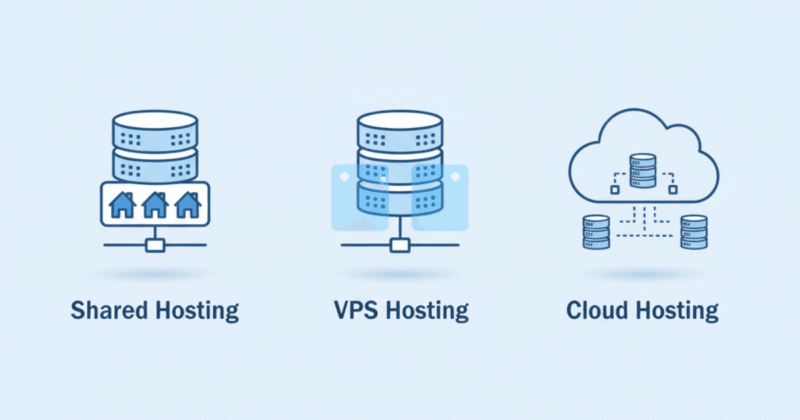
Choosing web hosting is one of the most important decisions you’ll make when starting a website. If you’re a beginner, the names Bluehost and Hostinger come up again and again — and for good reason. Both are popular, affordable, and beginner-friendly.
But which one is actually better for first-time website owners?
In this simple comparison guide, we’ll break down Bluehost vs Hostinger in terms of:
- Ease of use
- Speed and performance
- Pricing and value
- Features and tools
- Customer support
- Best choice for beginners
By the end, you’ll know exactly which hosting provider fits your needs.
What Beginners Really Need from a Hosting Provider
Before comparing Bluehost and Hostinger, it’s important to understand what a beginner truly needs from web hosting.
A good beginner-friendly host should offer:
- Simple setup – one-click WordPress installation, easy dashboards
- Reliable uptime – your site should stay online consistently
- Fast loading speed – crucial for user experience and SEO
- Affordable pricing – especially when you’re just starting out
- Good customer support – in case you break something or get stuck
- Free SSL – for security and “https” in the browser
- Beginner-friendly tools – like website builders or auto-installers
Both Bluehost and Hostinger check most of these boxes, but they do it in different ways. Let’s start with a quick overview.
Quick Overview: Bluehost vs Hostinger
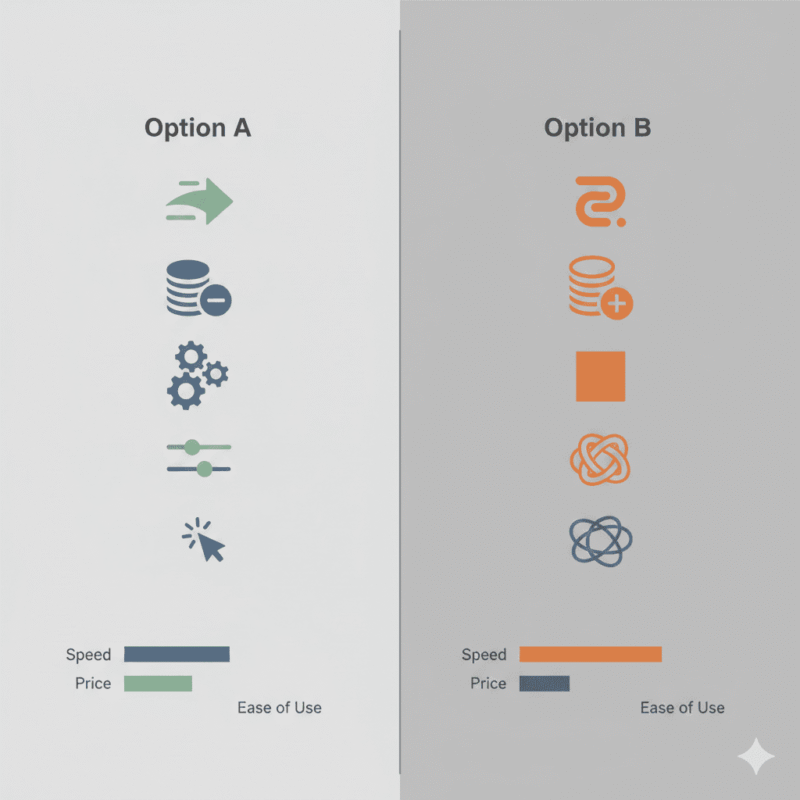
Bluehost at a glance
Bluehost is one of the oldest and most well-known hosting providers in the industry. It is officially recommended by WordPress.org, which instantly gives it credibility for new WordPress users.
Highlights:
- Official WordPress.org recommendation
- Traditional cPanel plus a custom dashboard
- Strong 24/7 support including live chat and phone
- Free domain name for the first year
- One-click WordPress install
Hostinger at a glance
Hostinger is a newer company but has exploded in popularity thanks to its extremely low prices and modern, fast infrastructure. It uses LiteSpeed servers and a custom control panel called hPanel.
Highlights:
- Very affordable intro pricing
- LiteSpeed servers for excellent speed
- Clean, modern hPanel dashboard
- Data centers in multiple regions
- Free SSL on all plans
Head-to-Head Comparison Table
Here’s a simple overview before we go deeper:
| Feature | Bluehost | Hostinger |
|---|---|---|
| Starting price | Higher | Lower (very budget-friendly) |
| Control panel | cPanel + custom dashboard | hPanel (modern, lightweight) |
| Speed (overall) | Good | Often faster (LiteSpeed servers) |
| Uptime guarantee | 99.9% | 99.9% |
| Free domain | Yes, 1 year | Yes, on many plans |
| Free SSL | Yes | Yes |
| Support | 24/7 chat + phone | 24/7 chat (no phone) |
| WordPress optimized | Yes, officially recommended | Yes, strong optimization |
| Best for | Beginners who want strong help | Beginners who want speed + low cost |
Now let’s go into each area in more detail.
1. Ease of Use and Setup
For beginners, the setup experience matters a lot. You don’t want to fight with complex settings just to get your first blog online.
Bluehost – very friendly but more “classic”
Bluehost uses cPanel underneath but adds its own beginner-friendly interface. Creating a website is guided by a step-by-step setup wizard.
You can:
- Choose WordPress during signup
- Install WordPress with one click
- Access themes and basic plugins directly from the dashboard
For completely new users, Bluehost feels reassuring and structured.
Hostinger – modern and clean
Hostinger doesn’t use cPanel. Instead, it offers hPanel, a custom control panel designed to be simpler and more visual.
- No cluttered menus
- Clear sections for emails, domains, websites, and files
- One-click WordPress installer works smoothly
For beginners who like a clean, modern look, Hostinger’s hPanel is often easier to understand at a glance.
Verdict:
Both are beginner-friendly, but Hostinger’s hPanel feels lighter and more modern, while Bluehost feels more traditional but very guided.
2. Speed and Performance
Speed is critical. A slow website means frustrated visitors and lower rankings in search engines.
Bluehost performance
Bluehost provides solid performance for most basic sites. It uses standard shared hosting infrastructure with optimizations for WordPress. For small blogs and business sites, speed is generally acceptable.
Hostinger performance
Hostinger uses LiteSpeed web servers and built-in caching, which are known for high performance and efficiency. This often leads to noticeably faster page loading times, especially for WordPress sites using the LiteSpeed Cache plugin.
In many independent tests, Hostinger regularly comes out ahead of Bluehost in terms of speed.
Verdict:
If speed is a priority (and it should be), Hostinger has the edge for beginners.
3. Pricing and Value for Money

Bluehost pricing
Bluehost’s pricing is not the cheapest on the market, but it includes a lot:
- Free domain for the first year
- Free SSL
- Decent resources in basic plans
However, renewal prices can be significantly higher than the initial promo.
Hostinger pricing
Hostinger is famous for its very low entry prices. It’s one of the most affordable reputable hosts you can choose.
- Intro plans often cost less than a cup of coffee per month
- Renewal prices are higher than the promo but still usually cheaper than Bluehost
- You can host multiple sites on some low-tier plans
For beginners on a tight budget, this makes Hostinger very attractive.
Verdict:
For pure value and affordability, Hostinger clearly wins. Bluehost remains reasonable, but Hostinger offers more performance for less money.
4. Features and Tools
Bluehost features
- Free domain for 1 year
- Free SSL certificate
- One-click WordPress installation
- Staging environment on some plans
- Built-in caching on certain tiers
- Email hosting included
Hostinger features
- Free SSL on all plans
- Free email on most plans
- LiteSpeed servers + caching
- Managed WordPress features like auto-updates
- Git access, PHP version control, DNS management
- Data centers in multiple regions (you can choose the closest)
Both providers offer all core features beginners need. Hostinger leans more into performance tools, while Bluehost leans into simplicity and WordPress integration.
Verdict:
Feature-wise it’s close, but Hostinger’s performance-focused stack gives it a slight advantage.
5. Customer Support
Support can be a lifesaver when something goes wrong.
Bluehost support
- 24/7 live chat
- 24/7 phone support
- Knowledge base and tutorials
The ability to call and talk to a human is reassuring for many beginners. Bluehost has been around for years and has a lot of experience helping new users.
Hostinger support
- 24/7 live chat
- Ticket-based support via dashboard
- Extensive tutorials and knowledge base
There’s no phone support, which might be a downside if you prefer talking instead of typing. However, Hostinger’s chat support is usually quick and helpful.
Verdict:
If phone support is important, Bluehost is better. If you’re okay with chat only, both are fine.
6. WordPress Hosting: Which Is Better for a Beginner Blog?
Most beginners today want to start a WordPress blog or website.
Bluehost for WordPress
- Official recommendation from WordPress.org
- Automatic WordPress installation during signup
- Pre-installed basic plugins and themes
- Good integration with WordPress tools
Because of the WordPress.org recommendation, many beginners feel confident starting with Bluehost.
Hostinger for WordPress
- WordPress automatically set up with a wizard
- LiteSpeed + caching for fast WordPress sites
- Managed features like auto-updates and built-in security
- Easy staging and cloning on some plans
Hostinger may not have the official label, but performance-wise it is extremely strong for WordPress.
Verdict:
For pure WordPress performance + price, Hostinger is usually the better choice. For “officially recommended and heavily guided,” Bluehost is appealing.
7. Pros and Cons Summary
Bluehost – Pros
- Officially recommended by WordPress.org
- Phone + live chat support (great for nervous beginners)
- Free domain for one year
- Very simple WordPress onboarding
- Trusted brand with long history
Bluehost – Cons
- More expensive than Hostinger at both promo and renewal pricing
- Performance not as strong as some newer hosts
- Dashboard feels a little heavier compared to Hostinger’s hPanel
Hostinger – Pros
- Extremely affordable for beginners
- Excellent speed thanks to LiteSpeed servers
- Clean and modern hPanel (easy to learn)
- Free SSL and email on most plans
- Global data centers for better local performance
Hostinger – Cons
- No phone support (chat only)
- Some lower-tier plans have limited storage
- No official WordPress.org “recommended” badge (although performance is great)
Final Verdict: Which Is the Best Hosting for Beginners?
So, when it comes to Bluehost vs Hostinger for beginners, which one should you choose?
Choose Hostinger if:
- You want the best possible price
- You care a lot about speed and performance
- You’re comfortable using live chat for support
- You prefer a clean, modern interface
For most new bloggers, small business owners, and beginners building their first WordPress site, Hostinger gives the best overall value.
Choose Bluehost if:
- Phone support matters to you
- You like the idea of a host recommended by WordPress.org
- You want a slightly more guided onboarding experience
- You’re okay paying a bit more for that extra guidance
In short:
Budget + speed + modern interface → Hostinger
Hand-holding support + WordPress.org recommended → Bluehost
Whichever you choose, the most important step is simply getting started. Once your hosting is set up and WordPress is installed, you can focus on what really matters: creating great content and growing your website.
For detailed hosting performance guidelines, see the official WordPress recommendations:
https://wordpress.org/hosting/
If you want to understand hosting types in detail, read our beginner guide:
https://buyersorbit.online/a-simple-guide-to-shared-vps-cloud-hosting-for-total-beginners/
Related Post https://buyersorbit.online/category/software-tools/web-hosting/