
Chromebooks are one of the best options for users who want a fast, efficient, and affordable device for simple everyday tasks such as:
- Browsing
- Google Docs / Sheets
- Online classes
- Emails
- Video meetings
- YouTube and streaming
- Light office work
Thanks to ChromeOS, Chromebooks are lightweight, fast, and secure — making them perfect for students, families, and anyone who needs a simple productivity laptop.
This guide highlights the best Chromebooks for simple productivity, with a focus on speed, battery life, comfort, and usability.
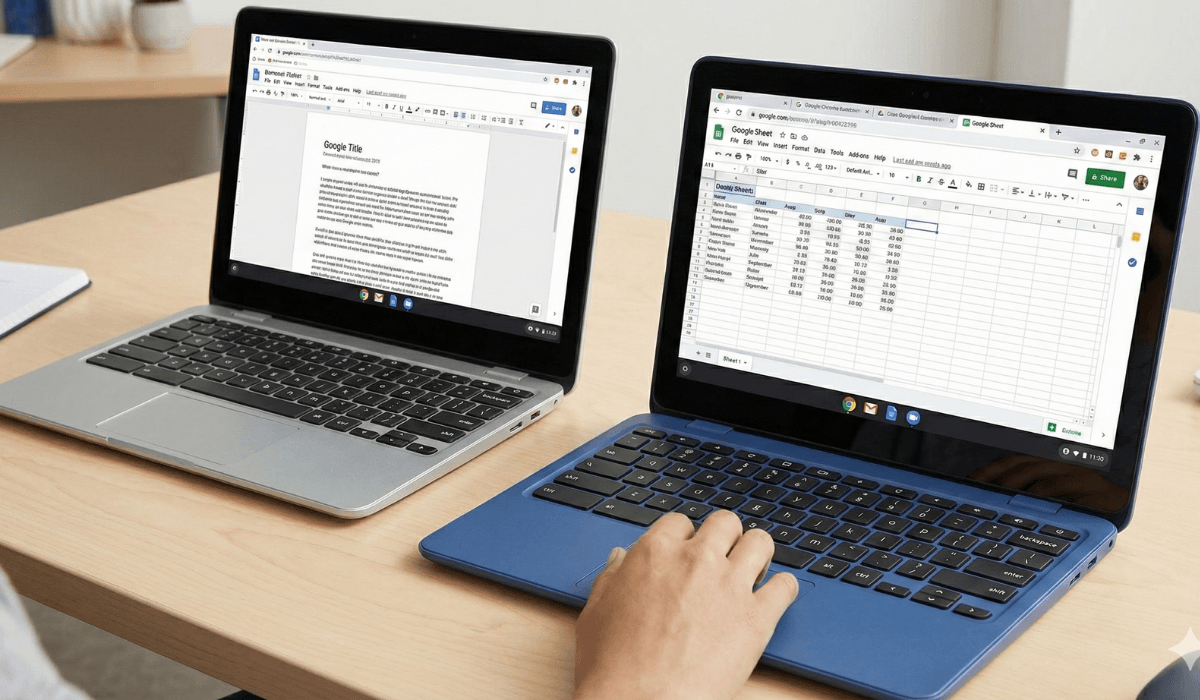
What Makes Chromebooks Ideal for Simple Productivity?
Chromebooks are different from traditional laptops. They use ChromeOS, a lightweight operating system that runs fast even on budget hardware.
Instant boot
Starts up in seconds.
Always smooth performance
Even low-end CPUs run ChromeOS fluidly.
Excellent battery life
Chromebooks are extremely energy efficient.
Cloud-based workflow
Perfect for Google Workspace, browsing, and storage.
Built-in security
Automatic updates and virus protection.
Affordable pricing
Excellent value for everyday users.
Chromebooks are not made for heavy editing or gaming — they are made for simple productivity, and they excel at it.
What to Look for in a Good Chromebook
To get the best productivity performance, consider these features:
1. Processor (CPU)
Ideal CPUs for Chromebooks include:
- Intel Celeron N Series
- Intel Pentium Silver Series
- Intel N100 / N200 (fastest budget option)
- MediaTek Kompanio Series
- AMD A-Series / Ryzen 3 Chromebook versions
These are more than enough for online work and browsing.
2. RAM
Minimum:
- 4GB RAM
Better:
- 8GB RAM (for heavier multitasking)
3. Storage
Look for:
- 64GB or 128GB eMMC / SSD
Chromebooks use cloud storage mostly, so this is enough.
4. Display Quality
For long study/work hours, look for:
- Full HD (1080p)
- IPS panel
- 14-inch ideal size
5. Battery Life
Chromebooks easily offer:
- 8–12 hours real usage
Perfect for all-day productivity.
6. Build Quality
Lightweight and durable build is a plus.
7. Keyboard & Trackpad
A comfortable keyboard is essential for productivity tasks.
Best Chromebooks for Simple Productivity (Top Picks)
Each model below includes an official brand website link.
1. Lenovo Chromebook Flex 5 – Best Overall Productivity Chromebook
Official Website: https://www.lenovo.com/
The Lenovo Chromebook Flex 5 is a powerful and flexible 2-in-1 Chromebook perfect for everyday work.
Key Advantages:
- 2-in-1 touchscreen
- Excellent keyboard
- Smooth multitasking
- Fast ChromeOS performance
- Great battery life
Best For:
Students, remote workers, and users who want flexibility with a touchscreen.
2. HP Chromebook 14 – Best Budget Option
Official Website: https://www.hp.com/
The HP Chromebook 14 delivers great performance at a very affordable price.
Key Advantages:
- Lightweight design
- Full HD display
- Long battery backup
- Comfortable typing
- Fast browsing and apps
Best For:
Daily productivity, online classes, and casual home users.
3. ASUS Chromebook C423 – Best for Large-Screen Productivity
Official Website: https://www.asus.com/
The ASUS Chromebook C423 is a great choice for users who prefer a larger working area.
Key Advantages:
- 14-inch screen
- Strong hinge design
- Smooth office tasks
- Good battery life
- Slim and premium look
Best For:
Users who work with documents and spreadsheets frequently.
4. Acer Chromebook Spin 311 – Best Compact Productivity Chromebook
Official Website: https://www.acer.com/
The Acer Chromebook Spin 311 is a compact, lightweight, and long-lasting productivity device.
Key Advantages:
- Very long battery life
- Touchscreen + 2-in-1 design
- Lightweight and portable
- Great for note-taking
- Smooth ChromeOS performance
Best For:
Students, kids, and mobile users who want portability.
5. Samsung Chromebook 4 – Best for Speed & Simplicity
Official Website: https://www.samsung.com/
The Samsung Chromebook 4 is known for its fast performance and high durability.
Key Advantages:
- Smooth multitasking
- Strong WiFi connectivity
- Fast boot + app loading
- Lightweight metal-like finish
- Excellent value
Best For:
Home users, casual workers, and students.

Chromebook Performance Breakdown
Chromebooks are optimized for:
Google Workspace
Docs, Sheets, Slides run super smooth.
Browsing & Research
Chrome handles multiple tabs easily on most devices.
Video Calls
Zoom
Google Meet
Microsoft Teams
Streaming
Netflix, YouTube, Prime Video, Disney+, etc.
Basic Editing
Online tools like Canva, Pixlr, Google Photos.
Not recommended for:
✘ heavy gaming
✘ high-end video editing
✘ professional graphic design
Chromebooks are made for simplicity — and they excel at it.
Comparison Table
| Model | Key Feature | Best For |
|---|---|---|
| Lenovo Chromebook Flex 5 | Best overall | Students & professionals |
| HP Chromebook 14 | Best budget | Daily home users |
| ASUS Chromebook C423 | Large display | Document-heavy work |
| Acer Spin 311 | Most portable | Students & kids |
| Samsung Chromebook 4 | Speed & simplicity | Everyday tasks |
Who Should Choose a Chromebook?
Choose a Chromebook if you:
- Use Google ecosystem
- Need long battery life
- Want a simple, fast device
- Do light productivity work
- Attend online classes
- Need a low-maintenance laptop
Perfect for:
- Students
- Home users
- Families
- Writers
- Browsers
- Remote workers with basic workloads
Final Verdict:
Chromebooks are ideal for anyone who needs a lightweight, fast, secure, and affordable laptop for simple productivity tasks.
For most users, the Lenovo Chromebook Flex 5 is the best all-round model with its touchscreen, speed, and comfort.
If you’re on a budget, the HP Chromebook 14 offers excellent value.
For users who like bigger screens, the ASUS Chromebook C423 is perfect.
For portability lovers, the Acer Spin 311 is compact and versatile.
And for fast, reliable performance, the Samsung Chromebook 4 is a strong choice.
Chromebooks make everyday computing simple, smooth, and enjoyable — without the complexity of traditional laptops.
Laptop Processor Guide for Students & Office Workers
https://buyersorbit.online/laptop-processor-guide-students-office-creators/