
Video content has become the most powerful form of digital communication in 2025. From YouTube videos to TikToks, social media ads, vlogs, reels, tutorials—video is everywhere. But to create engaging and professional-looking videos, you need the right video editing software.
The problem?
Most beginners find editing tools confusing, expensive, or too advanced.
That’s why in this guide, we break down the Best Video Editing Tools for Beginners, including both free and paid options. These tools are easy to use, powerful, and perfect for YouTube creators, small businesses, students, and marketers.
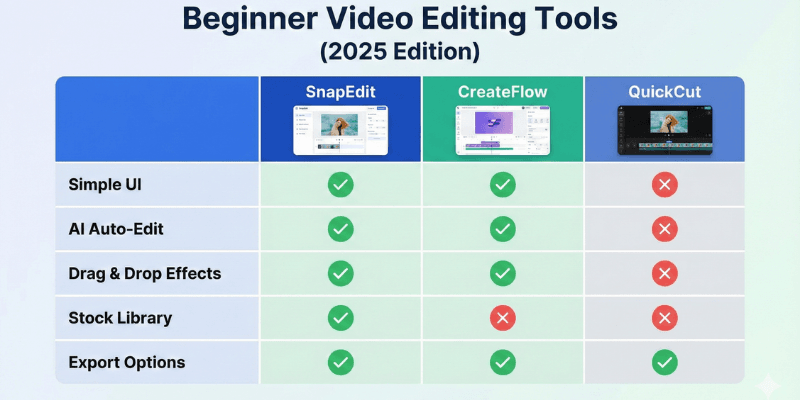
⭐ Why Beginners Need a Simple Video Editing Tool
✔ 1. Easy-to-Use Interface
Beginners need a clean layout without complicated features.
✔ 2. Affordable or Free Options
Many editing tools are expensive—beginners prefer affordable solutions.
3. Ready-Made Templates
Templates save time and help create professional content instantly.
4. AI Automation
AI tools help remove backgrounds, auto-caption videos, cut scenes, enhance voice, and more.
5. Multi-Device Support
Beginners often edit on both phone & computer.
Best Video Editing Tools for Beginners (2025)
1. CapCut (Best Free AI Video Editor)
CapCut is the most popular beginner-friendly video editor in 2025. It’s completely free, available on mobile & desktop, and has powerful AI features.
Key Features
- AI auto captions
- Text-to-speech
- Background remover
- Transitions & filters
- Templates for TikTok, Reels, YouTube
- Auto beat sync
- Sound enhancement
Pros
- 100% free
- Easy for beginners
- AI tools built-in
- Perfect for short-form videos
Cons
✘ Not ideal for advanced editing
✘ Watermark on some templates
Best For: TikTok, Instagram Reels, YouTube Shorts
Official Website: https://www.capcut.com/
2. Filmora (Most Beginner-Friendly PC Editor)
Filmora is one of the easiest desktop editors for beginners. It offers drag-and-drop editing and lots of creative presets.
Key Features
- AI Smart Cut
- AI Voice Changer
- Readymade titles & effects
- Screen recording
- Audio visualizer
- AR stickers
Pros
- Beginner-friendly
- Tons of templates
- Lightweight and fast
Cons
✘ Paid tool
✘ Watermark in free plan
Best For: New YouTubers, vloggers
Official Website: https://filmora.wondershare.com/
3. Adobe Premiere Rush (Best for Quick Social Media Videos)
Premiere Rush is Adobe’s simplified version of Premiere Pro. It’s made for beginners who want fast editing without complexity.
Key Features
- Auto-sync across devices
- Drag & drop timeline
- Easy transitions
- Color presets
- One-click export to YouTube & TikTok
Pros
- Simple UI
- Mobile + Desktop
- Syncs with Adobe Cloud
Cons
✘ Limited features
✘ Subscription model
Best For: Creators who want Adobe quality without difficulty
Official Website: https://www.adobe.com/products/premiere-rush.html
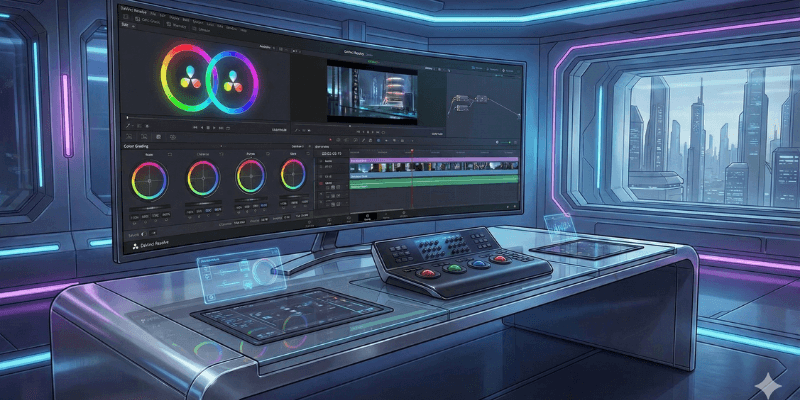
4. DaVinci Resolve (Best Free Professional Editor)
DaVinci Resolve is the most advanced free video editor available today. It’s completely free and supports professional editing, color grading, and audio mixing.
Key Features
- Hollywood-level color grading
- Fusion VFX tools
- Fairlight audio tools
- AI noise reduction
- Motion tracking
- Multi-cam editing
Pros
- 100% free version
- Professional-grade
- Perfect for long YouTube videos
Cons
✘ Not ideal for absolute beginners
✘ Heavy software
Best For: Serious creators, filmmakers, editors
Official Website: https://www.blackmagicdesign.com/products/davinciresolve/
5. InVideo (Best AI Online Video Editor)
InVideo is a browser-based AI video editor perfect for marketers and beginners who want fast video creation.
AI Features
- AI script writer
- AI text-to-video
- Pre-made templates
- Auto-captioning
- Automated video creation
Pros
- Easy for non-editors
- Great for marketing videos
- Huge template library
Cons
✘ Watermark in free plan
✘ Not ideal for complex videos
Best For: Marketing teams, advertisers, beginners
Official Website: https://invideo.io/
6. Clipchamp (Microsoft) – Easiest PC Video Editor
Clipchamp is Microsoft’s official free video editor for Windows users.
Key Features
- Templates for YouTube & Ads
- AI auto captions
- Screen + camera recording
- Quick trimming tools
Pros
- Free
- Very simple
- Lightweight
Cons
✘ Limited advanced features
Best For: Students, casual editors
Official Website: https://www.clipchamp.com/
7. VEED.io – Best for Social Media & AI Editing
VEED is a powerful browser-based editor with advanced AI tools.
Features
- AI auto subtitles
- AI voice enhancer
- Templates for ads & reels
- Fast exporting
Pros
- Simple interface
- AI tools are strong
Cons
✘ Paid for most features
Best For: Shorts creators, agencies
Official Website: https://www.veed.io/
📝 Comparison Table (2025)
| Tool | Free | AI Features | Best For |
|---|---|---|---|
| CapCut | ✔ | Strong | Reels/Shorts |
| Filmora | Paid | Medium | YouTube Beginners |
| Premiere Rush | Paid | Limited | Fast editing |
| DaVinci Resolve | ✔ | Medium | Professional editing |
| InVideo | ✔/Paid | Strong | Marketing |
| Clipchamp | ✔ | Basic | Students |
| VEED | ✔/Paid | Strong | Social media |
Which Video Editor Should You Choose?
- For easiest editing → CapCut
- For PC beginners → Filmora
- For social media creators → Premiere Rush
- For professional editing → DaVinci Resolve
- For AI-driven auto videos → InVideo
- For Windows users → Clipchamp
Final Verdict
Video editing no longer requires professional skills or expensive tools. With AI-powered platforms and beginner-friendly editors, anyone can create high-quality videos in minutes.
If you are starting in 2025, the best combination is:
👉 CapCut + Filmora + DaVinci Resolve
These three give you:
- Fast editing
- Beginner-friendliness
- Advanced capability when needed