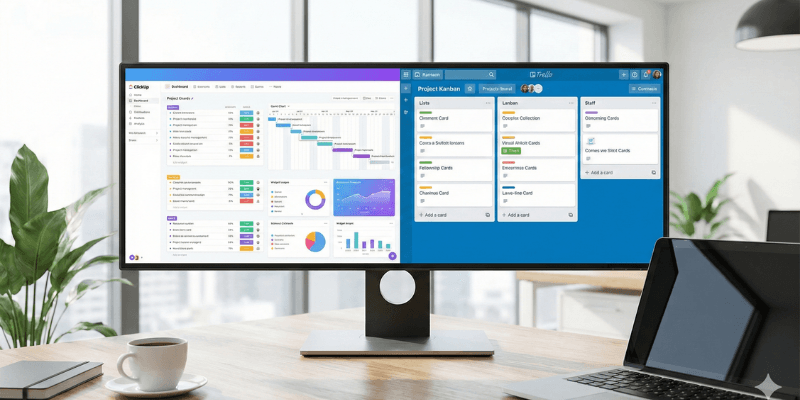
Choosing the right project management tool can have a direct impact on productivity, collaboration, and workflow efficiency. ClickUp and Trello are two of the most popular tools used by freelancers, startups, and teams worldwide. While both help manage tasks and projects, they are built for very different types of users.
In this in-depth comparison, we will analyze ClickUp vs Trello based on features, pricing, usability, flexibility, and use cases. By the end of this article, you will clearly understand which tool is better for your needs in 2025.
Overview of ClickUp
ClickUp is an all-in-one project and task management platform designed to replace multiple productivity tools. It combines task management, project planning, time tracking, collaboration, automation, and AI-powered features into a single workspace.
ClickUp is widely used by:
- Freelancers
- Digital agencies
- Remote teams
- Startups
- Software and content teams
Official Website: https://clickup.com
Overview of Trello
Trello is a simple and visual task management tool based on Kanban boards. It allows users to organize tasks using cards and columns, making it easy to track progress at a glance.
Trello is commonly used by:
- Individuals
- Small teams
- Beginners
- Users who prefer simplicity over advanced features
Official Website: https://trello.com
User Interface and Ease of Use
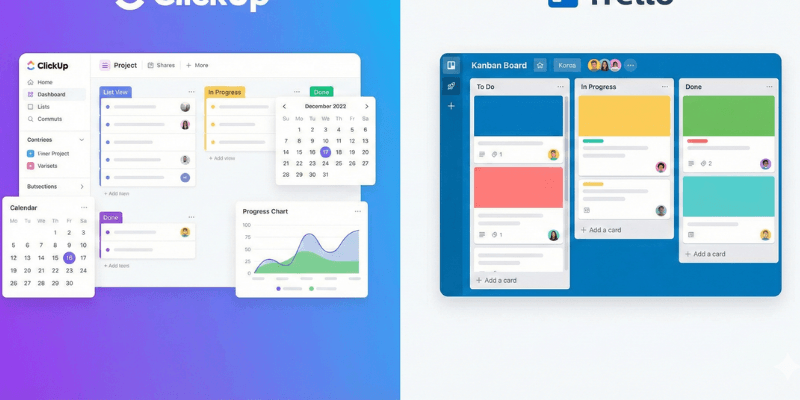
ClickUp Interface
ClickUp offers a powerful but feature-rich interface. Users can customize dashboards, views, statuses, and workflows. While this flexibility is a major advantage, it can feel overwhelming for first-time users.
Key points:
- Highly customizable
- Multiple dashboards and layouts
- Steeper learning curve
Trello Interface
Trello is known for its clean and beginner-friendly interface. Users can start managing tasks within minutes.
Key points:
- Simple drag-and-drop boards
- Very easy to use
- Minimal setup required
Verdict:
Trello is better for beginners. ClickUp is better for users who want full control and scalability.
Task and Project Management Features
Task and Project Management Features
ClickUp Features
ClickUp offers a comprehensive set of advanced task and project management features designed for teams handling complex workflows. Instead of relying on basic task lists, users can organize work with deeper structure and flexibility.
Key ClickUp features include:
- Tasks and subtasks for detailed work breakdown
- Nested subtasks to manage complex workflows
- Task dependencies to control task order
- Custom statuses to match different project stages
- Milestones for tracking major goals
- Goals and progress tracking for performance monitoring
- Multiple assignees for team collaboration
- Recurring tasks for ongoing work
As a result, ClickUp works especially well for managing multi-stage projects involving multiple team members and long-term planning.
Trello Features
Trello focuses on basic task management:
- Boards, lists, and cards
- Labels and due dates
- Checklists
- Basic automation using Butler
While Trello works well for simple workflows, it lacks advanced project planning features.
Verdict:
ClickUp clearly wins in task and project management depth.
Views and Workflow Flexibility
ClickUp Views
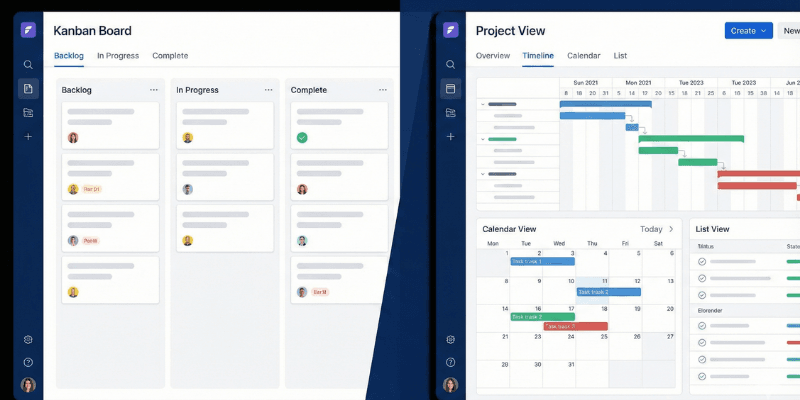
ClickUp offers a wide range of views, including:
- List view
- Board (Kanban) view
- Calendar view
- Gantt view
- Timeline view
- Table view
- Mind map view
This allows teams to manage work in the way that suits them best.
Trello Views
Trello primarily uses the Kanban board view. Some additional views are available on paid plans, but flexibility remains limited compared to ClickUp.
Verdict:
ClickUp offers far greater workflow flexibility than Trello.
Collaboration and Team Communication
ClickUp Collaboration
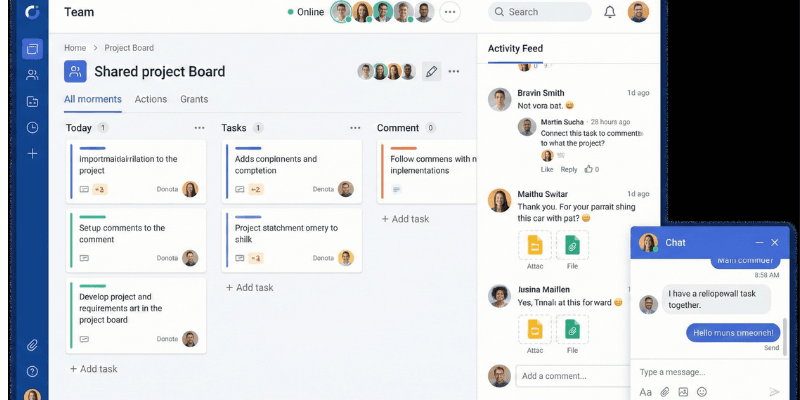
ClickUp includes built-in collaboration tools such as:
- Task comments
- Mentions
- File attachments
- Shared documents
- Activity logs
- Real-time updates
Teams can collaborate directly inside tasks without switching tools.
Trello Collaboration
Trello supports basic collaboration:
- Comments on cards
- Mentions
- File attachments
For advanced communication, users often need integrations with other tools.
Verdict:
ClickUp provides a more complete collaboration experience.
Automation and Advanced Features
ClickUp Automation and AI
To reduce manual work, ClickUp includes powerful automation features that help teams save time and maintain consistency across workflows. These automations allow users to focus more on high-impact tasks instead of repetitive actions.
With ClickUp automation, users can:
- Automatically assign tasks to specific team members
- Update task statuses based on progress
- Send notifications when conditions are met
In addition to automation, ClickUp also offers built-in AI tools that support daily productivity. Instead of writing everything manually, users can rely on AI assistance to speed up planning and execution.
ClickUp AI is commonly used for:
- Generating clear task summaries
- Assisting with writing task descriptions
- Creating action items from discussions
As a result, ClickUp becomes a strong choice for teams that need advanced productivity and intelligent workflow management.
Trello Automation
In comparison, Trello includes Butler automation, which helps automate simple actions within boards. While this feature is useful for basic workflows, it does not offer the same level of flexibility or intelligence as ClickUp.
Therefore, teams that require advanced automation and AI-driven productivity tools will find ClickUp significantly more powerful than Trello.
=========================================================
Pricing Comparison
ClickUp Pricing
ClickUp offers:
- Free Forever plan
- Unlimited plan
- Business plan
- Enterprise plan
The free plan is generous and suitable for small teams. Paid plans offer excellent value for the features included.
Trello Pricing
Trello also offers:
- Free plan
- Standard plan
- Premium plan
- Enterprise plan
Trello’s paid plans mainly unlock additional views and limits, rather than advanced functionality.
Verdict:
ClickUp offers better value for money, especially for teams.
Pros and Cons Comparison
ClickUp Pros
- All-in-one project management solution
- Highly customizable
- Multiple views and automation
- Built-in time tracking
- Scales well for growing teams
ClickUp Cons
- Learning curve for beginners
- Interface may feel complex initially
Trello Pros
- Extremely easy to use
- Clean and visual interface
- Quick setup
Trello Cons
- Limited features
- Not suitable for complex projects
- Requires integrations for advanced needs
Who Should Choose ClickUp?
ClickUp is best for:
- Freelancers managing multiple clients
- Agencies and startups
- Remote and hybrid teams
- Users who need advanced workflows
- Teams planning long-term projects
Who Should Choose Trello?
Trello is best for:
- Beginners
- Individuals managing simple tasks
- Small teams with basic needs
- Short-term or lightweight projects
Final Verdict:
When comparing ClickUp vs Trello in 2025, the better choice depends on your needs.
If you want simplicity and quick task tracking, Trello is a good option. However, if you need a scalable, feature-rich project management tool that can grow with your business, ClickUp is the clear winner.
For professionals, freelancers, and teams looking for long-term productivity, ClickUp offers significantly more value.
Official Website: https://clickup.com