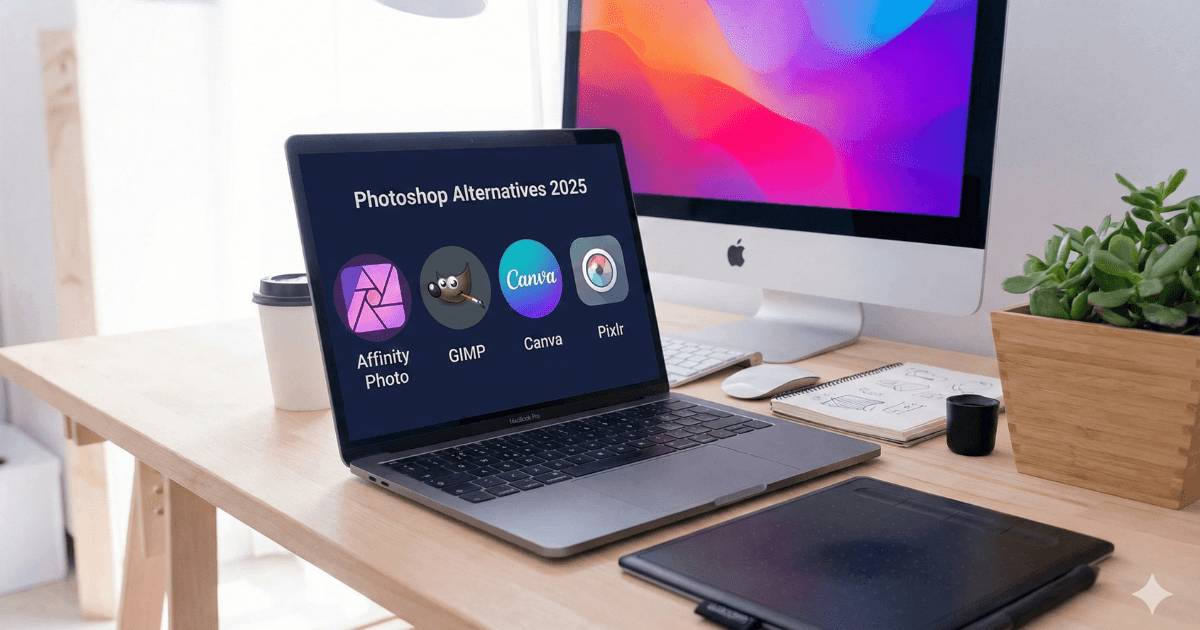
Photoshop has long been the industry standard for graphic designers, photographers, and digital artists. But for beginners, Photoshop often feels overwhelming. Its complex tools, learning curve, subscription-based pricing, and heavy system requirements make many people search for simpler alternatives that are beginner-friendly and affordable.
In this 2025 guide, we explore the Best Photoshop Alternatives for Beginners, including both free and paid options. Whether you’re a student, blogger, content creator, or small business owner, this list will help you find the perfect design tool.

Why Do Beginners Look for Photoshop Alternatives?
Before choosing an alternative, it’s important to understand why many beginners avoid Photoshop in the first place.
1. Subscription-Based Pricing
Photoshop requires a monthly Adobe Creative Cloud subscription. For beginners or occasional users, this becomes expensive.
2. Complex Tools & Interface
Photoshop is extremely powerful but also intimidating. Its large set of features can confuse new users.
3. Heavy Software
Photoshop needs a strong PC or laptop. Beginners with normal or low-end devices struggle to run it smoothly.
4. Too Advanced for Simple Tasks
For simple tasks like:
- Social media posts
- YouTube thumbnails
- Basic retouching
- Posters or banners
Photoshop feels like overkill.
For these reasons, lightweight, easy-to-use alternatives are becoming more popular—especially among beginners in the US & Europe.
Best Photoshop Alternatives for Beginners (Free & Paid)
Below are the top tools you should consider in 2025.
1. Photopea – Best Free Browser-Based Photoshop Alternative
Photopea is the closest free alternative to Photoshop. It runs entirely inside your browser—no installation needed.
Key Features
- PSD, XCF, Sketch & XD file support
- Photoshop-style layers
- AI background remover
- Free to use
- Works on any device
Pros
✔ Works like Photoshop
✔ Free & browser-based
✔ Supports PSD files
✔ Beginner-friendly
Cons
✘ Ads in free version
✘ Requires internet
Best For
Beginners, students, online editors, social media creators.
2. GIMP – Best Free & Advanced Photoshop Alternative
GIMP is a powerful open-source software and one of the best free Photoshop replacements. It offers professional-level tools without any cost.
Key Features
- Layers, masks & brushes
- Advanced editing
- Plugin support
- Fully customizable
Pros
- Free forever
- Professional tools
- Customizable interface
Cons
✘ Learning curve slightly high
✘ Interface feels outdated
Best For
Beginner designers who want Photoshop-level features for free.
3. Pixlr – Best Online Editor for Fast Editing
Pixlr is a simple and lightweight online photo editor perfect for quick tasks like retouching, cropping, filters, and graphic creation.
Key Features
- AI background removal
- Filters & effects
- Templates for social media
- Works on web & mobile
Pros
- Very easy to use
- Quick editing
- Free & paid versions
Cons
✘ Ads
✘ Some features locked
Best For
YouTubers, marketers, small businesses, Instagram creators.
4. Canva – Best Photoshop Alternative for Social Media & Beginners

Canva is not a traditional photo editor like Photoshop, but for beginners, it is the best tool for graphic design. It offers drag-and-drop editing, templates, and AI tools.
Key Features
- 1M+ design templates
- AI Magic Edit
- Background remover
- Presentation builder
- Social media scheduler
- Stock photos, videos, and graphics
Pros
- Extremely beginner-friendly
- Thousands of templates
- AI-powered editing
- Works on mobile & web
Cons
✘ Advanced photo manipulation is limited
✘ Pro subscription needed for premium assets
Best For
Bloggers, YouTubers, social media creators, small businesses.
5. Affinity Photo – Best Paid Professional Photoshop Alternative
Affinity Photo is the strongest Photoshop competitor. Unlike Adobe, it charges only one-time payment—no subscription required.
Key Features
- RAW editing
- Unlimited layers
- Fast performance
- Professional retouching
- Works on Windows, Mac & iPad
Pros
- One-time payment
- Powerful professional tools
- Fast & smooth performance
Cons
✘ Requires some learning
✘ Fewer templates than Canva
Best For
Freelancers, professional editors, photographers.
6. Krita – Best Free Tool for Digital Artists & Illustrators
Krita is perfect for digital painting, concept art, comic creation, and animation.
Key Features
- Hundreds of brushes
- Layer-based editing
- Animation support
- Open-source
Best For
Artists, cartoonists, animators, illustrators.
7. Fotor – Best AI Photo Editor for Beginners
Fotor is an AI-powered photo editor that’s simple and effective.
Key Features
- AI portrait retouch
- One-click enhancements
- Collage creator
- Templates for social media
Best For: Quick edits, portraits, lifestyle bloggers.
Comparison Table (2025)
| Tool | Free Version | Difficulty | Best For |
|---|---|---|---|
| Photopea | ✔ | Easy | Browser-based editing |
| GIMP | ✔ | Medium | Advanced free editing |
| Pixlr | ✔ | Very Easy | Quick online edits |
| Canva | ✔ / Paid | Very Easy | Templates & social media design |
| Affinity Photo | Paid | Medium | Professional editing |
| Krita | ✔ | Medium | Digital art |
| Fotor | ✔ | Easy | AI editing |
Which Photoshop Alternative Should You Choose?
- Easiest tool for beginners → Canva
- Best free Photoshop-like alternative → Photopea
- Best advanced free editor → GIMP
- Best paid professional alternative → Affinity Photo
- Best for digital artists → Krita
- Best for fast editing → Pixlr
Final Verdict
Photoshop remains a powerful industry tool, but not everyone needs it.
Beginners need simplicity, affordability, and speed — and these alternatives deliver exactly that.
If you’re starting in 2025, the best beginner-friendly combination is:
Canva (for designs) + Photopea (for edits)
For professionals without a subscription:
Affinity Photo is the best choice.
Internal Link 01:
Best Laptop Processors Explained
https://buyersorbit.online/best-laptop-processors-explained/
Internal Link 02:
Laptop Processor Guide for Students & Office Workers
https://buyersorbit.online/laptop-processor-guide-students-office-creators/