
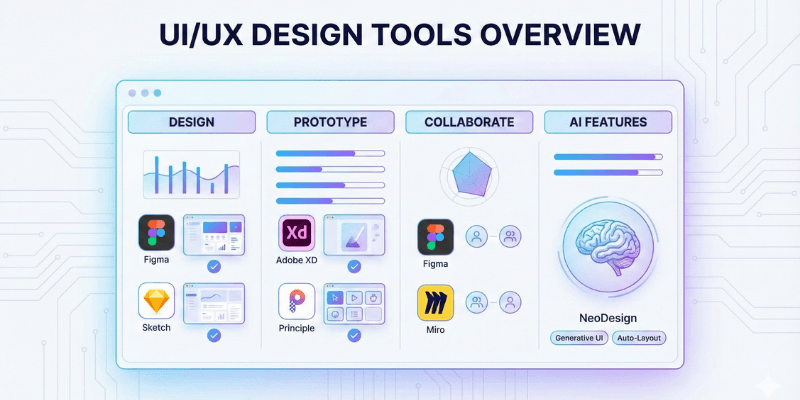
UI/UX design tools are evolving faster than ever. In 2025, designers need tools that support real-time collaboration, fast prototyping, AI-powered assistance, and a clean, efficient workflow. Whether you are a beginner or an experienced professional, choosing the right tool can significantly improve your design process and the quality of your work.
Why Best UI UX Design Tools 2025 Matter for Designers
A good design tool helps you:
- Work faster with fewer mistakes
- Build realistic prototypes
- Collaborate smoothly with your team
- Maintain consistent design systems
- Communicate clearly with developers
- Deliver better user experiences
Best UI UX Design Tools 2025
1. Figma — Best Overall UI/UX Design Tool
Figma: https://www.figma.com/
Figma remains the most popular and powerful design tool in 2025. Its browser-based system, real-time collaboration and massive plugin library make it the top choice for designers worldwide.
Why Figma Is the Best
- Real-time collaboration with teams
- Browser and desktop support
- Smooth prototyping and animations
- AI-assisted features
- Extensive component and design system support
- Thousands of plugins
Best For
UI designers, product designers, UX teams, freelancers, agencies, and beginners.
If you’re not sure where to start, Figma is the most future-proof option.
2. Adobe XD — Clean Interface & Smooth Prototyping
Adobe XD: https://www.adobe.com/products/xd.html
Each of the best UI UX design tools 2025 offers unique advantages depending on the designer’s workflow and goals. Adobe XD is still a great choice for designers who want a clean interface and high-quality interactive prototypes. Its Auto-Animate feature makes transitions look realistic and smooth.
Highlights
- Simple UI
- Fast prototyping
- Developer handoff
- Great for Adobe users
Perfect for designers already in the Adobe ecosystem.
3. Sketch — Best for macOS Designers
Sketch: https://www.sketch.com/
Sketch is one of the oldest and most trusted UI tools, especially for Mac users.
✔ Why Designers Still Use Sketch
- Smooth Mac performance
- Clean vector editing
- Huge plugin ecosystem
- Lightweight and easy to learn
Ideal for solo designers and small teams using macOS.
4. Framer — Best for High-Fidelity Interactive Prototypes
Framer: https://www.framer.com/
Framer has grown rapidly in popularity because it lets designers build realistic prototypes that feel like real apps — and even publish websites.
Why Framer Stands Out
- Realistic app-level interactions
- Smooth animations
- Ready-made components
- Website building capability
Great for designers who want advanced interactions without coding.
5. Canva — Best for Beginners & Quick Mockups
Canva: https://www.canva.com/
Canva isn’t a full UI/UX tool, but it’s perfect for:
- Basic UI mockups
- User flow diagrams
- Presentations
- Social media content
Why Beginners Love Canva
- Extremely simple interface
- Thousands of templates
- Quick export options
A great starting point for anyone learning design fundamentals.
6. Axure RP — Best for Complex UX Projects
Axure RP: https://www.axure.com/
Axure RP is built for advanced UX designers working on enterprise-level systems like dashboards, SaaS platforms, or fintech applications.
Top Features
- Conditional logic
- Dynamic content
- Complex prototypes
- UX documentation support
Perfect for designers who need more control than traditional tools offer.
7. Miro — Best for UX Research, Mapping & Workshops
Miro: https://miro.com/
Miro is not a UI design tool but is essential for UX teams. It’s used heavily for brainstorming, mapping user journeys, conducting workshops, and planning.
Why Designers Use Miro
- Real-time whiteboarding
- Flowcharts and diagrams
- Team collaboration
- UX strategy and planning
Great for the early stages of product design.
8. ProtoPie — Best for Micro-Interactions
ProtoPie: https://www.protopie.io/
ProtoPie is the leading tool for advanced interactions, gestures, and motion design. It allows designers to create highly realistic mobile app behaviors.
Perfect For
- Gesture interactions
- Wearable prototypes
- Automotive UI
- Mobile apps with complex animations
A must-have for designers focusing on interaction design.
9. Webflow — Best for No-Code Website Building
Webflow: https://webflow.com/
Webflow empowers designers to turn layouts into real websites without writing code.
Why Webflow Is Popular
- Visual drag-and-drop development
- Complete CMS
- Built-in hosting
- Clean responsive output
Perfect for freelancers, agencies, and designers who want full control without coding.
Quick Comparison – Best UI/UX Tools in 2025
| Tool | Best For | Skill Level |
| Figma | Complete design workflow | Beginner → Expert |
| Framer | Interactive prototypes | Intermediate |
| Adobe XD | Smooth prototyping | Beginner |
| Sketch | Mac-based design | Intermediate |
| Axure RP | Complex UX logic | Expert |
| Canva | Beginners | Beginner |
| Miro | Research & mapping | All levels |
| ProtoPie | Micro-interactions | Expert |
| Webflow | No-code websites | Intermediate |
Which Tool Should You Choose?
- Figma → Best overall choice
- Framer / ProtoPie → Best for interactions
- Axure RP → Best for complex UX
- Canva → Best for beginners
- Webflow → Best for websites
Your choice should match your workflow and design goals.
Final Verdict
The UI/UX design industry is evolving rapidly, and the tools we use shape the quality and speed of our work. In 2025, the best tools focus on collaboration, realism, and smart automation. If you’re unsure where to begin, Figma is the safest and most complete starting point.
Internal Link Recommendation
For more technology guides and reviews, visit:
BuyersOrbit Home — https://buyersorbit.online/
2 thoughts on “Best UI/UX Design Tools in 2025 – Complete Guide for Designers & Beginners”