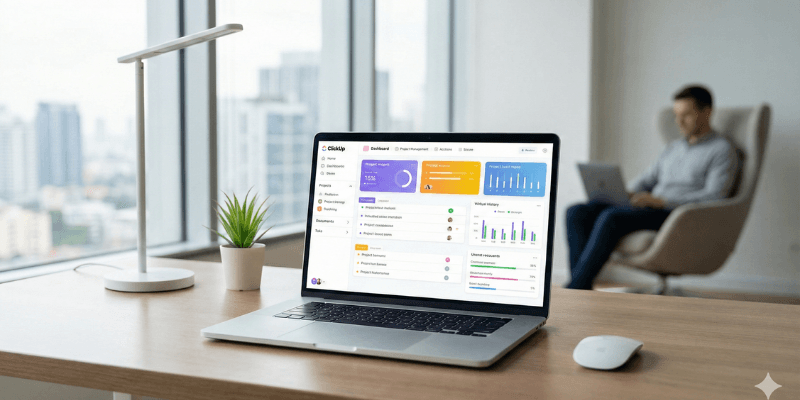
Managing tasks, projects, and team collaboration efficiently is one of the biggest challenges for freelancers, startups, and growing businesses. As work becomes more remote and digital, the demand for an all-in-one project management tool has increased significantly. ClickUp positions itself as a single platform that replaces multiple productivity tools.
In this detailed ClickUp review 2025, we will explore what ClickUp is, how it works, its core features, pricing, pros and cons, and who should use it. This guide will help you decide whether ClickUp is the right project and task management tool for your workflow.
What Is ClickUp?
ClickUp is an all-in-one project and task management software designed to help individuals and teams manage work from one centralized dashboard. Instead of using separate tools for tasks, documents, time tracking, and collaboration, ClickUp combines everything into a single platform.
It is used by freelancers, remote teams, agencies, startups, and large organizations to plan projects, assign tasks, track progress, and improve productivity.
ClickUp works on web browsers, desktop apps, and mobile devices, making it easy to manage work from anywhere.
How ClickUp Works
ClickUp is built around a flexible hierarchy system:
- Workspace
- Spaces
- Folders
- Lists
- Tasks
This structure allows you to organize work in a way that matches your business or personal workflow. You can start simple with a basic task list or build complex project systems with automation and reporting.
Core Features of ClickUp
Task Management
Task management is the foundation of ClickUp. You can create tasks, assign them to team members, set due dates, priorities, and statuses.
Key task management features include:
- Subtasks and nested subtasks
- Checklists inside tasks
- Priority levels
- Custom task statuses
- File attachments
- Comments and mentions
This makes ClickUp suitable for both simple to-do lists and complex project workflows.

Project Management Tools
ClickUp allows you to manage full projects with clear visibility and control. Projects can be broken into tasks and tracked through different stages.
Project management features include:
- Progress tracking
- Milestones
- Dependencies between tasks
- Gantt charts
- Project timelines
These features are especially useful for agencies, software teams, and startups managing long-term or multi-step projects.
Multiple Views for Work Management
One of ClickUp’s strongest features is its variety of views. You can switch between different views depending on how you prefer to work.
Available views include:
- List view for detailed task management
- Board view for Kanban-style workflows
- Calendar view for scheduling
- Gantt view for timelines and dependencies
- Table view for spreadsheet-like management
This flexibility makes ClickUp adaptable to almost any work style.

Time Tracking and Productivity Monitoring
ClickUp includes built-in time tracking, which is extremely useful for freelancers and agencies.
You can:
- Track time spent on tasks
- Generate time reports
- Monitor productivity
- Integrate with external time-tracking tools if needed
This feature helps teams understand where time is being spent and improve efficiency.
Team Collaboration and Communication
ClickUp is not just a task manager; it is also a collaboration platform.
Collaboration features include:
- Task comments
- Mentions
- File sharing
- Activity logs
- Shared documents
Teams can communicate directly inside tasks, reducing the need for constant email or messaging app communication.
Automation and ClickUp AI
ClickUp offers automation features that help reduce repetitive work. You can automate actions such as assigning tasks, changing statuses, or sending notifications based on triggers.
ClickUp AI adds another layer of productivity by helping with:
- Writing task descriptions
- Summarizing comments
- Generating action items
- Creating project outlines
These features are particularly useful for content teams, managers, and fast-moving startups.

ClickUp Pricing Plans
ClickUp offers multiple pricing tiers, making it accessible for beginners and scalable for businesses.
Free Forever Plan
- Unlimited tasks
- Limited storage
- Basic task management
- Ideal for individuals and small teams
Unlimited Plan
- Unlimited storage
- Advanced integrations
- Dashboards
- Suitable for freelancers and small teams
Business Plan
- Advanced automation
- Time tracking
- Custom exporting
- Best for agencies and growing businesses
Enterprise Plan
- Custom features
- Advanced security
- Dedicated support
- Designed for large organizations
ClickUp’s pricing is competitive compared to other project management tools, especially considering the number of features included.
Pros and Cons of ClickUp
Pros
- All-in-one platform for tasks, projects, and collaboration
- Highly customizable workflows
- Multiple views for different work styles
- Built-in time tracking
- Generous free plan
- Strong automation and AI features
Cons
- Can feel overwhelming for new users
- Learning curve for advanced features
- Mobile app is less powerful than desktop version
Who Should Use ClickUp?
ClickUp is ideal for:
- Freelancers managing multiple clients
- Remote teams
- Digital marketing agencies
- Software development teams
- Content and SEO teams
- Startups looking for scalable tools
If you want to replace multiple productivity tools with one centralized system, ClickUp is a strong choice.
ClickUp vs Trello (Quick Comparison)
ClickUp and Trello are often compared, but they serve different types of users.
Trello is simple and easy to use, focusing mainly on Kanban boards. ClickUp, on the other hand, offers advanced project management, automation, time tracking, and reporting.
If you need basic task tracking, Trello is enough. If you need a complete work management solution, ClickUp is the better option.
Final Verdict: Is ClickUp Worth It?
ClickUp is one of the most powerful project and task management tools available in 2025. Its combination of flexibility, advanced features, and competitive pricing makes it suitable for individuals and teams of all sizes.
While beginners may need some time to learn the platform, the long-term productivity benefits outweigh the initial learning curve.
If you are looking for an all-in-one project management tool that grows with your business, ClickUp is definitely worth trying.