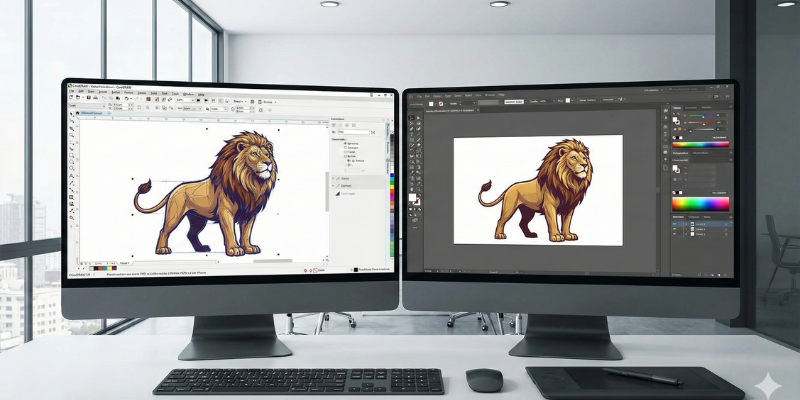
Choosing the right creative software can significantly impact your design quality, workflow speed, and overall productivity. Corel and Adobe are two of the most widely used creative software brands in the world. Both offer powerful tools for graphic design, illustration, photo editing, and video production, but they are built for different types of users.
In this in-depth comparison, we analyze Corel vs Adobe based on features, pricing, usability, performance, and real-world use cases. By the end of this article, you will clearly understand which platform is the better choice for you in 2025.
Overview of Corel
Corel is a professional creative software company best known for its graphic design, illustration, photo editing, and video editing tools. The company focuses on providing powerful desktop-based software with flexible licensing options, including one-time purchase plans that many professionals prefer over subscriptions.
Corel software is widely used by:
- Graphic designers
- Illustrators
- Video editors
- Freelancers
- Small businesses
- Creative professionals who prefer one-time licenses
Official Website: https://www.corel.com/
Overview of Adobe
Adobe is a global leader in creative and digital media software. Adobe’s Creative Cloud includes industry-standard tools used across design, photography, video editing, and marketing.
Adobe is commonly used by:
Professional designers
Agencies
Large teams
Content creators
Photographers
Video editors
Official Website: https://www.adobe.com/
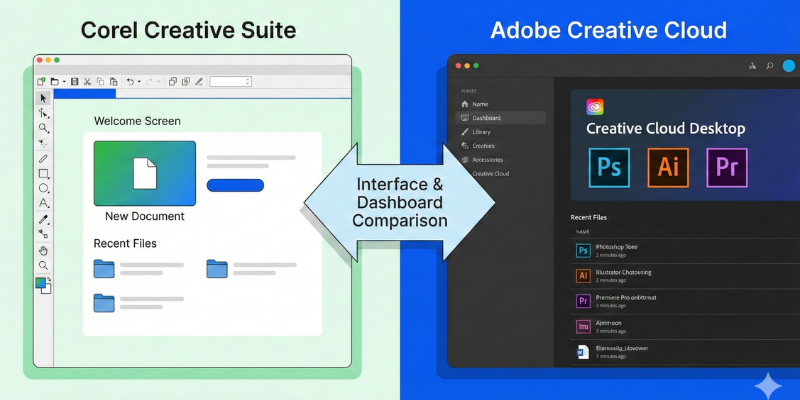
User Interface and Ease of Use
Corel Interface
Corel software is designed with flexibility and customization in mind. The interface is clean and efficient, especially for desktop users who prefer direct control over tools.
Key points:
- Customizable workspace
- Faster learning curve for beginners
- Strong keyboard and mouse workflow
Adobe Interface
Adobe applications offer modern, cloud-connected interfaces with deep feature sets. While powerful, they can feel complex for new users.
Key points:
- Highly polished UI
- Consistent design across apps
- Steeper learning curve
Verdict:
Corel is easier for beginners and freelancers. Adobe suits advanced professionals and teams.
Design and Creative Features
Corel Features
Corel provides strong creative tools including:
Vector illustration
Graphic design layouts
Photo editing
Digital painting
Video editing
Multi-page documents
Popular Corel products:
- CorelDRAW
- Corel Painter
- Corel VideoStudio
- Pinnacle Studio
Corel excels in illustration and print design workflows.
Adobe Features
Adobe offers a broad ecosystem of tools:
Photoshop (photo editing)
Illustrator (vector design)
InDesign (publishing)
Premiere Pro (video editing)
After Effects (motion graphics)
Adobe is considered the industry standard for creative agencies.
Verdict:
Adobe offers a wider ecosystem. Corel provides powerful standalone tools with less complexity.
Performance and System Requirements
Corel Performance
Corel software is optimized for desktop performance:
- Runs well on mid-range systems
- Less background cloud usage
- Faster launch times
- Lower system resource usage
Adobe Performance
Adobe Creative Cloud apps are powerful but resource-heavy:
- Requires stronger hardware
- Background services always running
- Cloud syncing impacts performance
Verdict:
Corel performs better on lower and mid-range systems. Adobe performs best on high-end machines.
Pricing and Licensing
Corel Pricing
Corel offers flexible pricing options:
- One-time purchase licenses
- Optional subscriptions
- No forced monthly payments
This makes Corel attractive for freelancers and budget-conscious users.
Adobe Pricing
Adobe uses a subscription-only model:
- Monthly or yearly payments
- Higher long-term cost
- Full Creative Cloud access
Verdict:
Corel is more affordable long-term. Adobe is more expensive but offers a complete ecosystem.

Collaboration and Cloud Features
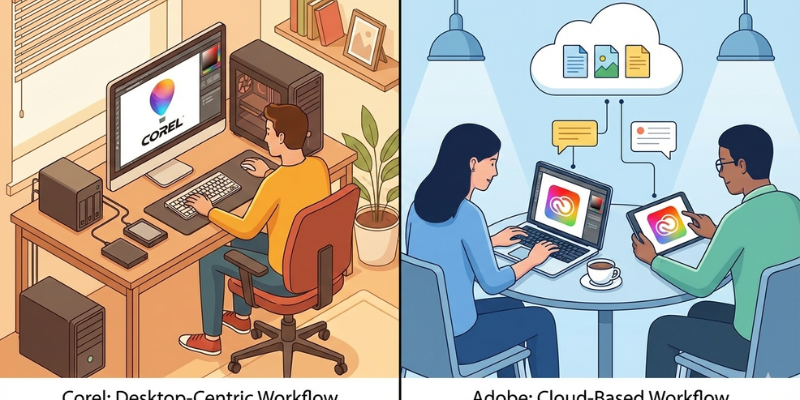
Corel Collaboration
Corel focuses more on individual workflows:
- Limited cloud dependency
- File-based collaboration
- Best for solo creators
Adobe Collaboration
Adobe excels in cloud collaboration:
- Cloud storage integration
- Team libraries
- Shared assets
- Cross-device syncing
Verdict:
Adobe is better for teams. Corel is ideal for individual professionals.
Pros and Cons Comparison
Corel Pros
- One-time license options
- Lower long-term cost
- Beginner-friendly
- Strong illustration tools
- Good performance on average PCs
Corel Cons
- Smaller ecosystem
- Limited cloud collaboration
Adobe Pros
- Industry-standard tools
- Powerful cloud ecosystem
- Best for agencies and teams
- Advanced video and motion tools
Adobe Cons
- Expensive subscription model
- Higher system requirements
- Complex for beginners
Who Should Choose Corel?
Corel is best for:
Freelancers
Graphic designers
Illustrators
Small businesses
Users who prefer lifetime licenses
Creators with mid-range hardware
Who Should Choose Adobe?
Adobe is best for:
Creative agencies
Professional photographers
Video editors
Large teams
Users needing advanced collaboration
Final Verdict: Corel vs Adobe
When comparing Corel vs Adobe in 2025, the best choice depends on your workflow and budget.
If you want a powerful, affordable, and beginner-friendly creative solution without ongoing subscription costs, Corel is an excellent choice. If you require industry-standard tools, advanced collaboration, and a complete creative ecosystem, Adobe remains the top option.
For freelancers and independent creators, Corel offers outstanding value. For agencies and enterprise teams, Adobe provides unmatched depth.
Official Website: https://www.corel.com/