Laptop graphics play a huge role in performance. Whether you browse the internet, edit photos, play games, or work with office apps — your laptop’s GPU affects speed, smoothness, and visuals.
There are two types of laptop GPUs:
Integrated Graphics
(built into the CPU)
Dedicated Graphics
(separate GPU chip inside the laptop)
Choosing the right one can save money and help you avoid buying the wrong laptop for your needs.
This guide explains integrated vs dedicated graphics in the simplest way — helping students, office workers, editors, and gamers understand exactly which one to choose.

What Are Integrated Graphics?
Integrated Graphics (iGPU) are built directly inside the laptop’s CPU.
They share memory (RAM) with the system and are designed for:
- Everyday tasks
- Browsing
- Office work
- Streaming
- Light photo editing
- Casual gaming
Popular integrated GPUs:
Intel UHD Graphics / Intel Iris Xe
Official Website: https://www.intel.com/
AMD Radeon Vega / Radeon Graphics
Official Website: https://www.amd.com/
Integrated graphics are extremely common in budget and mid-range laptops.
What Are Dedicated Graphics?
Dedicated Graphics (dGPU) are separate chips inside the laptop with their own video memory (VRAM).
These offer much higher performance for:
- Gaming
- 3D work
- Video editing
- Rendering
- Graphic design
- Engineering tools
Popular dedicated GPUs:
NVIDIA GeForce GTX / RTX Series
Official Website: https://www.nvidia.com/
AMD Radeon RX Series
Official Website: https://www.amd.com/
Dedicated GPUs are found in gaming laptops and high-performance creator laptops.
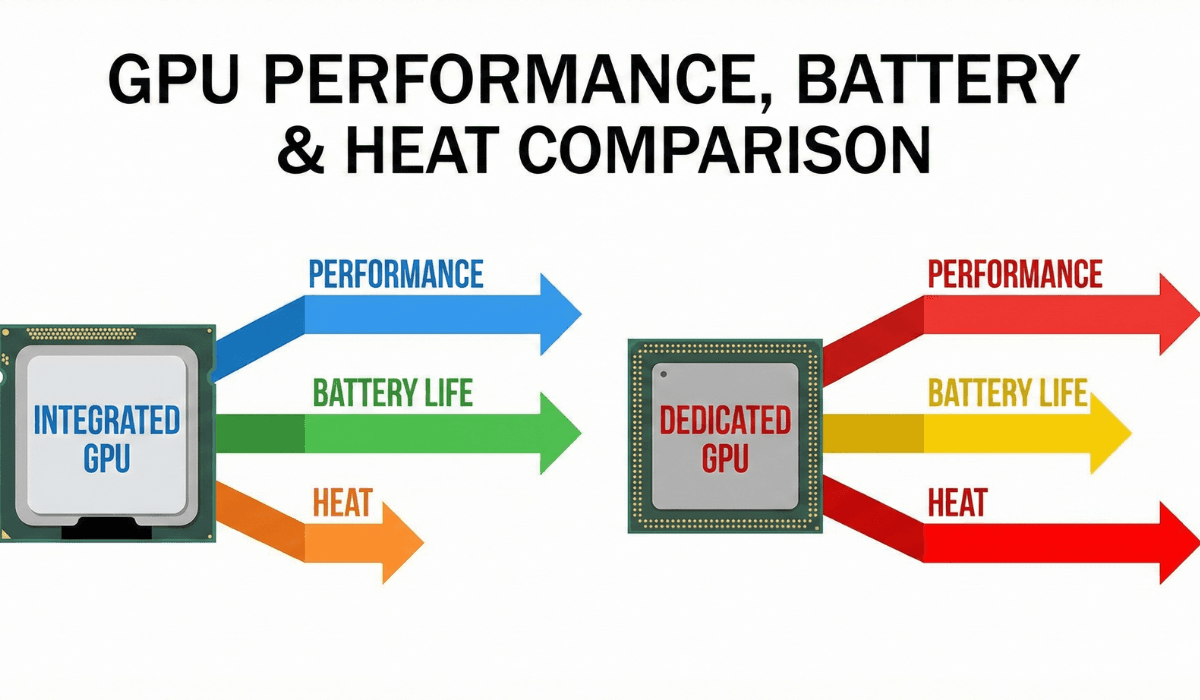
Integrated vs Dedicated Graphics — Full Comparison
Let’s compare both types across all important categories.
1. Performance
Integrated Graphics
- Good for basic tasks
- Decent performance for HD videos
- Modern iGPUs like Iris Xe & Radeon are surprisingly capable
- Can handle light games like Valorant, CS2, FIFA
Dedicated Graphics
- Much faster
- Ideal for AAA gaming
- Great for editing (Premiere Pro, DaVinci, Lightroom)
- Smooth 3D modeling & rendering
Winner: Dedicated GPU
2. Battery Life
Integrated Graphics
- Extremely power-efficient
- Best battery life
- Perfect for students & office use
Dedicated Graphics
- Consumes more power
- Reduces battery backup
- Laptops get hotter
Winner: Integrated GPU
3. Price
Integrated Graphics
- Very affordable
- Found in laptops under €300–€800
Dedicated Graphics
- Expensive
- Found in €800+ laptops
Winner: Integrated GPU (budget-friendly)
4. Heat & Cooling
Integrated Graphics
- Generates minimum heat
- Laptop stays cool
Dedicated Graphics
- Heats up under load
- Requires bigger fans
- Gaming laptops are heavier because of cooling
Winner: Integrated GPU
5. Use Cases
Integrated GPU is best for:
- Students
- Office workers
- Casual home users
- Watching movies
- Online classes
- Browsing + YouTube
- Running Google Docs / MS Office
Dedicated GPU is best for:
- Gamers
- Video editors
- Graphic designers
- Engineers
- 3D modeling
- Heavy creative work
Integrated GPU Models Explained
Integrated graphics have become much stronger in the last few years.
Let’s break down the popular ones:
Intel UHD Graphics
Entry-level
Good for basic tasks
Not recommended for gaming
Intel Iris Xe Graphics
Best modern integrated GPU from Intel
Great for:
- office work
- browsing
- FHD videos
- light gaming
Iris Xe can run games like Valorant, CS2, GTA V (low settings).
AMD Radeon Vega Graphics
Very strong integrated GPU
Better gaming performance than Intel UHD
Great for:
- editing
- occasional gaming
AMD Radeon Graphics (Newer Series)
Found in Ryzen 5000 & 7000 laptops
Best iGPU for gaming under budget
Smooth performance in modern titles at low settings.
Dedicated GPU Models Explained
Dedicated GPUs are ideal for users who need real power.
NVIDIA GeForce GTX
Good for 1080p gaming
Examples:
GTX 1050
GTX 1650
Affordable and reliable.
NVIDIA GeForce RTX
High performance
Best for:
- high-end gaming
- editing
- 3D work
Popular models:
RTX 3050
RTX 3060
RTX 4060
RTX 4070
AMD Radeon RX
Strong mid-range performance
Good for:
- editing
- gaming
- workstation tasks
Which GPU Do You Need? (By User Type)
Students (School / College)
Recommended: Integrated Graphics
(Iris Xe or Radeon)
Why:
- Low cost
- Long battery life
- Smooth for online classes
- Zero heating issues
Office Workers / Remote Work
Recommended: Integrated Graphics (Iris Xe / Radeon)
Why:
- Great for Excel, Docs, Zoom
- Lightweight
- Quiet and cool
Programmers
- Recommended:
- Integrated GPU → If doing basic development
- Dedicated GPU → If working with ML, AI, 3D
Graphic Designers / Content Creators
Recommended: Dedicated GPU (RTX / Radeon RX)
Why:
- Faster rendering
- Smoother editing
- Better performance in Adobe apps
Gamers
Recommended: Dedicated GPU (GTX/RTX/Radeon)
Why:
- High FPS
- Smooth graphics
- Better thermals for gaming workloads
Home Users
Recommended: Integrated Graphics
Why:
- Low cost
- Quiet
- Efficient
- Perfect for browsing & streaming
Performance Table (Simple Comparison)
| Task | Integrated GPU | Dedicated GPU |
|---|---|---|
| Browsing | Excellent | Excellent |
| YouTube/Netflix | Excellent | Excellent |
| Office Work | Excellent | Excellent |
| Photo Editing | Good | Excellent |
| Video Editing | Basic only | Excellent |
| Gaming | Low settings | Medium to Ultra |
| 3D Work | Weak | Strong |
| Battery Life | Excellent | Lower |
Should You Buy Integrated or Dedicated Graphics?
Choose Integrated Graphics if you want:
- Low price
- Long battery life
- Lightweight laptop
- For study or work
- For casual tasks
Choose Dedicated Graphics if you want:
- Gaming
- Editing
- Professional design work
- High performance
- 3D rendering
Final Verdict
Choosing between integrated and dedicated graphics is easy when you consider your work type:
- Students → Integrated Graphics
- Office Workers → Integrated Graphics
- Home Users → Integrated Graphics
- Gamers → Dedicated GPU
- Editors / Creators → Dedicated GPU
- Engineers / 3D Users → Dedicated GPU
For most people, Integrated Graphics (Iris Xe or AMD Radeon) is more than enough.
But if you need power → choose a Dedicated GPU laptop with NVIDIA or AMD.