Choosing between a Mini PC and a Laptop can be confusing. Both devices offer solid performance, modern features, and affordable pricing. However, they are designed for different usage styles.
Mini PCs are compact, quiet, and energy-efficient, making them great for desks and home setups.
Laptops are portable, flexible, and perfect for students or people who work on the go.
This guide compares Mini PCs vs Laptops in detail to help you choose the perfect device for your needs.
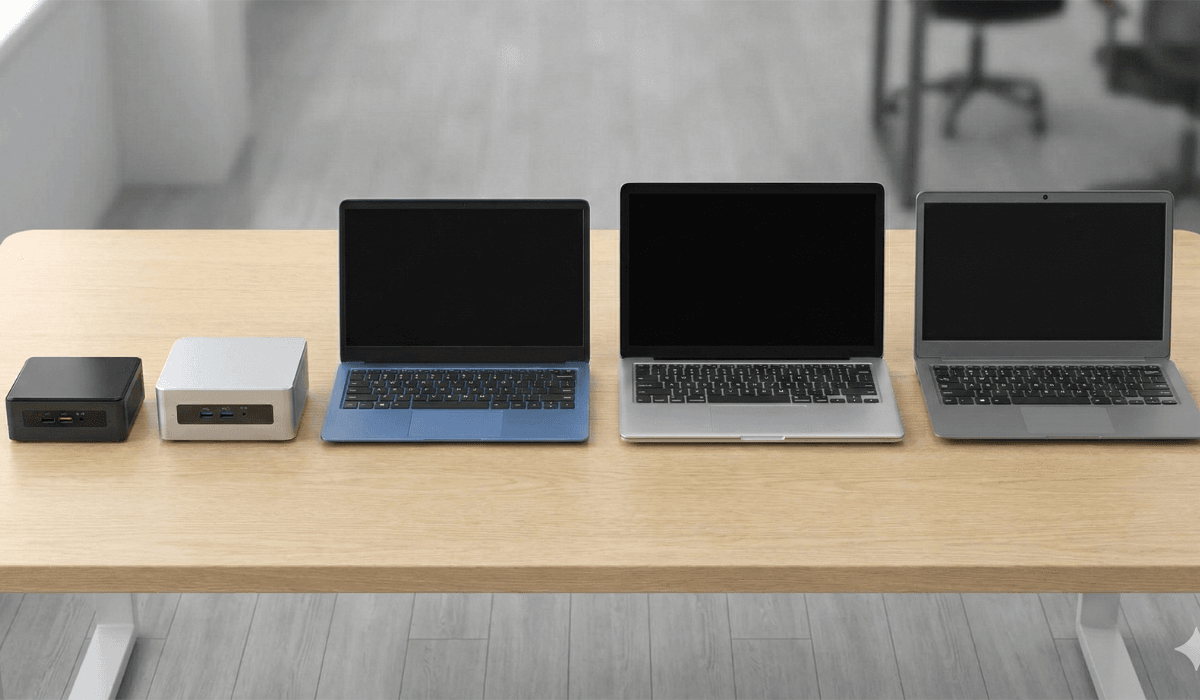
What Is a Mini PC?
A Mini PC is a compact desktop computer about the size of a small box.
Despite their size, they offer:
- Strong performance
- Low power consumption
- Quiet cooling systems
- Multiple ports
- Upgrade possibilities
Popular Mini PC brands include:
- Beelink Mini PCs → https://www.bee-link.com/
- MINISFORUM Mini PCs → https://www.minisforum.com/
- Intel NUC → https://www.intel.com/
- ACEMAGIC Mini PCs → https://www.acemagic.com/
Mini PCs are perfect for desks, TV setups, offices, and small spaces.
What Is a Laptop?
A Laptop is a portable computer with a built-in:
- Keyboard
- Touchpad
- Screen
- Battery
- Speakers
Laptops are designed for mobility and convenience.
Popular laptop brands include:
- HP Laptops → https://www.hp.com/
- Lenovo Laptops → https://www.lenovo.com/
- ASUS Laptops → https://www.asus.com/
- Acer Laptops → https://www.acer.com/
- Dell Laptops → https://www.dell.com/
If you need mobility, a laptop is the obvious choice — but Mini PCs have their own advantages.
Mini PC vs Laptop – Complete Comparison
Let’s break down each category so you can clearly understand the differences.
1. Performance
Mini PC:
Mini PCs can be very powerful depending on the model.
They often include:
- Intel N-series processors (N100 / N200)
- AMD Ryzen chips
- Upgradable RAM
- SSD slots
These make Mini PCs strong enough for:
- Browsing
- Office work
- Media editing (light)
- Programming
- 4K video playback
Laptop:
Budget laptops under €400–€600 usually include:
- Intel i3 / i5
- AMD Ryzen 3 / Ryzen 5
- Integrated GPUs
Good for:
- Study work
- Business tasks
- Light creative work
Winner: Tie
Mini PCs can be faster due to upgrade options, but laptops have better performance per watt.
2. Portability
Mini PC:
- Needs an external monitor
- Needs keyboard + mouse
- Not portable
- Fixed desk setup
Laptop:
- Fully portable
- One-piece device
- Battery-powered
- Great for travel, college, café work
Winner: Laptop
3. Upgrade Options
Mini PC:
Most Mini PCs allow:
- RAM upgrades
- SSD upgrades
- Additional storage
- Sometimes WiFi module replacement
Laptop:
Limited upgrades:
- Some allow RAM replacement
- SSD upgrade possible
- Most components fixed
Winner: Mini PC
4. Use of Space & Setup
Mini PC:
- Minimal desk space
- Almost no noise
- Can be mounted behind monitor (VESA mount)
- Clean cable management
Laptop:
- Takes less space when packed
- Larger footprint on desk
- Needs cooling room
Winner: Mini PC (for desk use)
Winner: Laptop (for portable use)
5. Power Consumption
Mini PC:
- Extremely low power draw
- Ideal for 24/7 use
- Cheaper electricity cost
Laptop:
- Efficient but not as low as mini PCs
- Battery reduces power usage
Winner: Mini PC
6. Heat & Noise
Mini PC:
- Runs cool
- Quiet fans
- Better airflow
Laptop:
- Can heat during heavy work
- Fans become loud under load
Winner: Mini PC
7. Gaming Capability
Mini PC:
- Low-end models not meant for heavy gaming
- Ryzen-based models can handle light gaming
- Highest gaming performance available on mini PCs with dedicated GPUs (expensive)
Laptop:
- Entry-level laptops also limited
- Some include dedicated GPUs
- Better for gaming at budget level
Winner: Laptop (for low-budget gaming)
8. Price
Mini PC:
- €120 to €350 range for strong models
- Better performance per Euro
- More value for fixed setups
Laptop:
- €250 to €400 for a student laptop
- More expensive due to display & battery
- Better all-around device for general users
Winner: Depends on need
Mini PC = Best performance value
Laptop = Best overall value
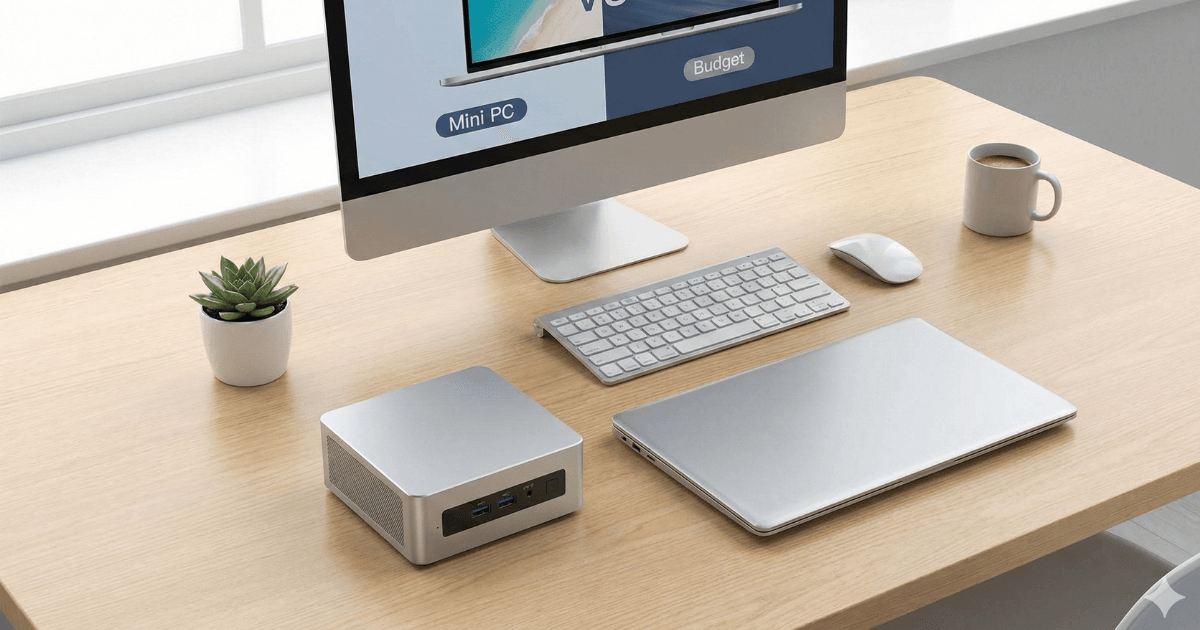
Who Should Buy a Mini PC?
Choose a Mini PC if you:
- Mostly work at a desk
- Already have a monitor or TV
- Want a clean, quiet setup
- Prefer upgrade options
- Want low power consumption
- Need a device for office, browsing, coding, or home use
Best Mini PC Models:
- Beelink Mini S Series → https://www.bee-link.com/
- MINISFORUM UM Series → https://www.minisforum.com/
- Intel NUC Series → https://www.intel.com/
- ACEMAGIC Mini PCs → https://www.acemagic.com/
Mini PCs are perfect for home offices, study rooms, and living room setups.
Who Should Buy a Laptop?
Choose a Laptop if you:
- Need portability
- Attend school or college
- Work from different locations
- Travel or commute often
- Want an all-in-one device
- Don’t want to buy extra accessories
Best Laptop Models:
- HP 14s → https://www.hp.com/
- Lenovo IdeaPad Series → https://www.lenovo.com/
- ASUS VivoBook Series → https://www.asus.com/
- Acer Aspire Series → https://www.acer.com/
- Dell Inspiron Basic Models → https://www.dell.com/
Laptops are ideal for students, freelancers, and mobile workers.
Quick Decision Guide
| You Need | Buy |
|---|---|
| Portability | Laptop |
| Best value performance | Mini PC |
| For school/college | Laptop |
| Desk setup | Mini PC |
| Upgradability | Mini PC |
| Clean, quiet workspace | Mini PC |
| All-in-one device | Laptop |
| Travel-friendly | Laptop |
Final Verdict:
Both Mini PCs and Laptops are excellent depending on your lifestyle.
Here is the simple breakdown:
Buy a Mini PC if:
- You want a compact desk setup
- You value upgrade options
- You work from home
- You want a quiet, efficient machine
- You already have a monitor
Buy a Laptop if:
- You need portability
- You study or work outside home
- You want an all-in-one device
- You want built-in display + keyboard
For most general users, a Laptop is the best all-around choice.
For home offices, productivity setups, or minimal desk spaces, a Mini PC delivers outstanding value.
Both options are great — it all depends on how and where you plan to use your computer.