RAM (Random Access Memory) is one of the most important factors for laptop performance.
It directly affects how smoothly a laptop can handle:
- Browsing
- Multitasking
- Apps
- Gaming
- Editing
- Background processes
Choosing the right amount of RAM ensures your laptop stays fast and responsive — not slow or laggy.
This guide explains 4GB vs 8GB vs 16GB RAM, and which option is best for YOUR usage.
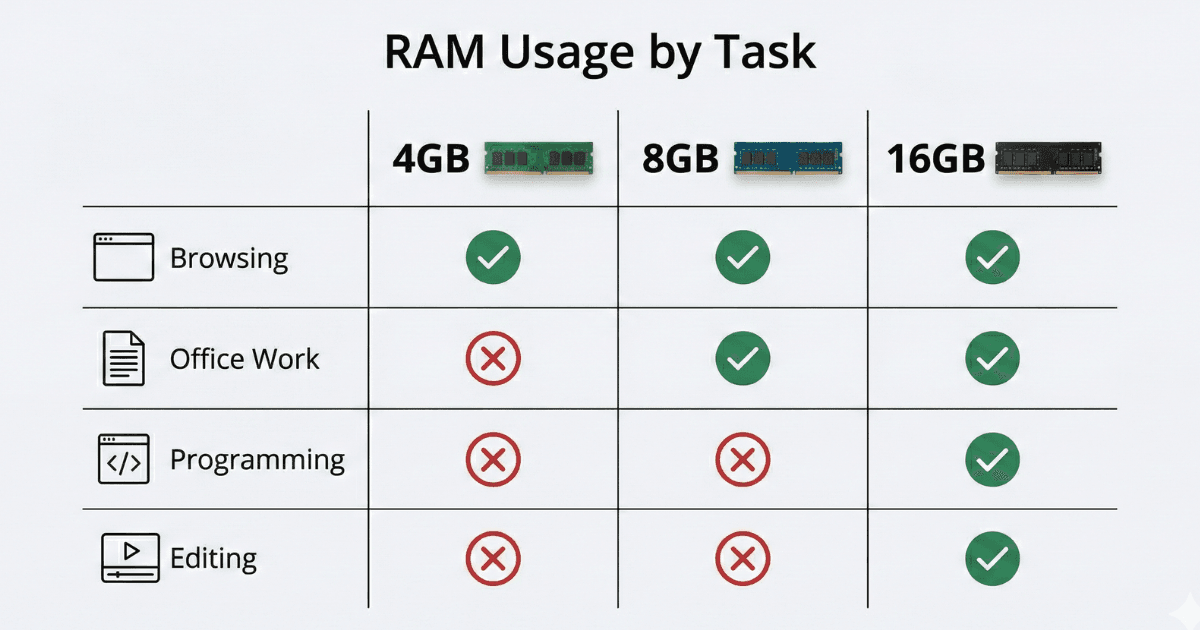
What is RAM?
RAM is the short-term memory of your laptop.
It temporarily stores data for active tasks:
- Browsing tabs
- Apps running
- Video calls
- Background programs
More RAM = more tasks at once without slowing down.
If RAM is too low, your laptop will:
✘ lag
✘ freeze
✘ load apps slowly
✘ struggle with multitasking
How RAM Affects Performance
- More RAM = smoother multitasking
- More RAM = faster app switching
- More RAM = better performance with many browser tabs
- More RAM = fewer slowdowns during meetings or editing
Even everyday tasks like YouTube + Google Docs + Zoom together can use a lot of memory.
Different RAM Levels Explained (Simple Breakdown)
Let’s break down 4GB, 8GB, 16GB, and who needs which.
4GB RAM – Basic Use Only
4GB RAM is now considered the minimum level.
Good only for light work.
Best For:
- Browsing
- YouTube
- Simple office work
Not Good For:
✘ multitasking
✘ Zoom + multiple tabs
✘ editing
✘ heavy office work
Recommended Systems:
- Budget laptops
- Basic Chromebooks
If your budget is tight, 4GB works — but ONLY for simple tasks.
8GB RAM – Best for Most Users
This is the recommended minimum for modern laptops.
Best For:
- Students
- Office workers
- Remote work
- Browsing with 10–20 tabs
- Video calls
- Google Docs / MS Office
- Light editing
Why 8GB is ideal:
- Perfect balance of speed and price
- Smooth multitasking
- Great for daily productivity
- Future-proof for years
Recommended Laptops:
- HP Pavilion Series → https://www.hp.com/
- Lenovo IdeaPad Series → https://www.lenovo.com/
- ASUS VivoBook Series → https://www.asus.com/
- Acer Aspire Series → https://www.acer.com/
8GB RAM is the sweet spot for 70% of users.
16GB RAM – Power Users
16GB RAM is perfect for multitasking-heavy users.
Best For:
- Programmers
- Business professionals
- Photo editing
- Video editing (1080p)
- Running many apps
- Designers
- Heavy multi-window work
Why it’s powerful:
- Zero lag during multitasking
- Fast app switching
- Smooth performance with large files
- Good for long-term use
Recommended Laptops:
- Dell Inspiron Series → https://www.dell.com/
- HP Envy / Pavilion+ Models → https://www.hp.com/
- Lenovo ThinkPad / Yoga → https://www.lenovo.com/
If your budget allows → go for 16GB.
32GB RAM – Only for Professionals
Only needed if you work with:
- 4K video editing
- 3D software
- Engineering tools
- Large datasets
- Virtual machines
Overkill for normal users.
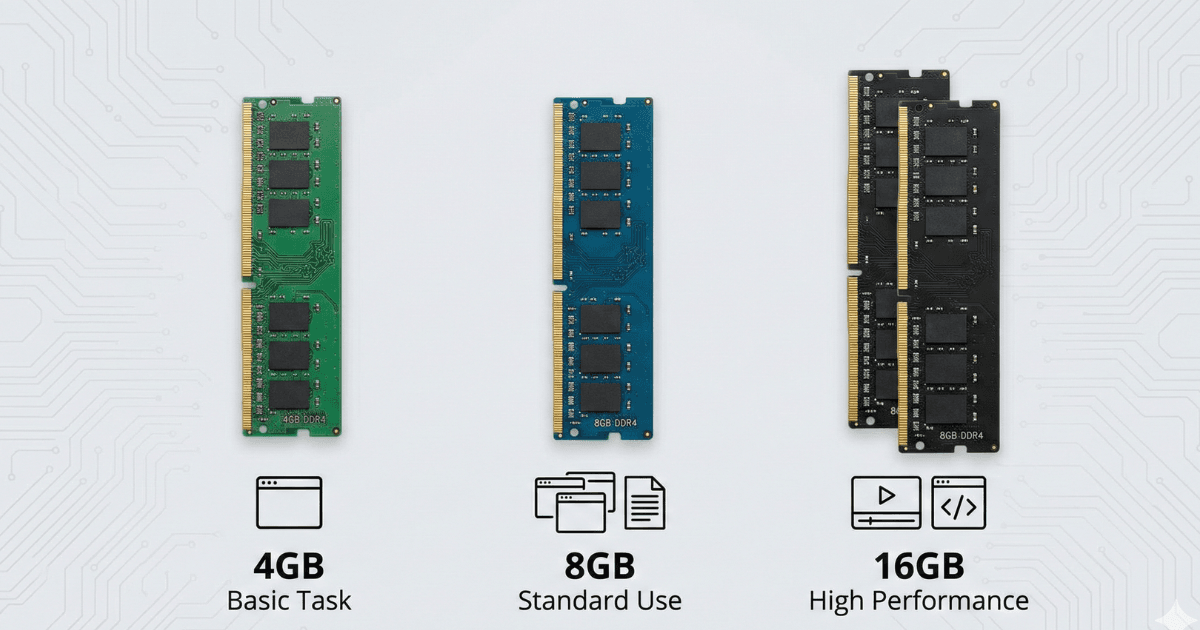
RAM Requirement by User Type
Let’s simplify RAM needs by category.
Students
Recommended: 8GB RAM
Why:
- Google Classroom
- Docs & sheets
- Browsing
- Online classes
4GB works but will lag over time.
Office Workers / Remote Work
Recommended: 8GB – 16GB RAM
Apps like:
- Zoom
- Excel
- Chrome tabs
- Email + CRM tools
Use lots of memory.
Programmers
Recommended: 16GB RAM
Why:
- Code editors
- Compilers
- Emulators
- Browsers with many tabs
Photo & Video Editors
Recommended:
- 16GB RAM (Photo editing)
- 32GB RAM (Video editing in 4K)
Apps like Lightroom, Premiere Pro need plenty of RAM.
Gamers
Recommended: 16GB RAM
Modern games + Windows background tasks use lots of memory.
RAM Effect on Multitasking (Real Examples)
4GB RAM
Chrome + YouTube = OK
Add Zoom = Lag
Add 10 tabs = Freezes
- 8GB RAM
Chrome 20 tabs
Zoom call
Docs/Sheets open
No lag
- 16GB RAM
Multiple apps
Multi-monitor setup
Editing + browsing
Runs smoothly
RAM Speed (MHz) – Does It Matter?
RAM also has a speed rating such as:
- 2400 MHz
- 2666 MHz
- 3200 MHz
- 4800 MHz (DDR5)
Higher speed = more responsive laptop.
But CPU affects more than RAM speed.
Ideal Speed:
- DDR4 → 2666–3200 MHz
- DDR5 → 4800 MHz+
RAM Type: DDR4 vs DDR5
DDR4
- Common
- Affordable
- Great for general use
DDR5
- Faster
- Better for multitasking
- Future-proof
DDR5 is ideal but not essential for simple tasks.
Can You Upgrade RAM?
Many laptops allow RAM upgrades:
Upgradeable
- HP Pavilion
- ASUS VivoBook
- Lenovo ThinkPad
- Dell Inspiron
❌ Not Upgradeable
- Ultrabooks
- Thin-and-light laptops
- Chromebooks
- Many budget models
Always check if RAM is soldered or upgradeable.
Summary Table – How Much RAM You Need
| User Type | Recommended RAM |
|---|---|
| Students | 8GB |
| Home users | 8GB |
| Office work | 8GB to 16GB |
| Programming | 16GB |
| Photo editing | 16GB |
| Video editing | 32GB |
| Gamers | 16GB |
| Light browsing only | 4GB (Chromebook ok) |
Final Verdict:
Choosing the right RAM is crucial for smooth laptop performance.
4GB RAM
Only for VERY simple work (Chromebooks, kids, light browsing)
8GB RAM
Best for MOST users
Perfect for students and office workers
16GB RAM
Best for professionals
Great for editing, coding, multitasking
32GB RAM
Only for heavy 4K editing, engineering, virtualization
For 70% of buyers, the ideal recommendation is:
8GB RAM
or
16GB RAM if budget allows
Choosing the right RAM ensures your laptop stays fast and future-proof for years.
Laptop Processor Guide for Students & Office Workers
https://buyersorbit.online/laptop-processor-guide-students-office-creators/
Intel vs AMD Laptop Processors
https://buyersorbit.online/intel-vs-amd-laptop-cpu/